Best TradingView to MT5 bridge in 2026: 3 compared side by side.
Connecting TradingView to MetaTrader 5 requires a bridge: a tool that receives your TradingView alerts and executes them as trades on MT5. In 2026 there are several options, but only three are worth seriously considering. This guide compares their current pricing, setup model and risk controls.
The verdict at the top.
SignalForge takes #1 for best value, AI roadmap and prop firm protection. PineConnector takes #2 on infrastructure maturity. TradingConnector takes #3 for Telegram routing and MT4 compatibility. The gap from #1 to #3 is wider than the gap from #2 to #3. What changed in October 2026 ↓
What changed in October 2026
- PineConnector now bundles hosting. Core is $59/month at its launch price ($69 after launch) with 1 MT5 connection and 1 Edge-hosted MT5; Plus is $129 ($149 after launch) for 3; Pro is $199 for 5. Its site also announces a seven-day Core trial from 5 October at US$7, then $59/month. Breakdown: PineConnector pricing 2026 and Edge vs a VPS.
- SignalForge plans. Starter $4.99 (1 MT5 account), Trader $14.99 (3 accounts, Prop Firm Shield, filters, Telegram), Starter + SFCloud $9.99 and Trader + SFCloud $19.99; Starter and Trader with a 14-day trial, no card; the two SFCloud bundles, SFCloud standalone ($6.99, manual trading, no bridge), Pro ($29.99, 5 accounts + 5 SFClouds) and Elite ($49.99, 10 + 10) are paid from day one. See pricing.
- Measured latency. A median of about 0.5 s from webhook to confirmed order (measured 19–23 September 2026): ~56 ms on our server, ~116 ms network and ~250 ms EA plus broker. TradingView itself takes a few seconds to send the webhook. Benchmark and method.
- SFCloud. Managed MT5 built for the bridge: browser access over HTTPS, each terminal in its own isolated container, data centres in the UK and France, ready about 30 minutes after checkout. It runs the SignalForge EA for your alerts; other EAs (your own or from the MQL5 Market) are not supported. About SFCloud.
- New guides. Real cost of a TradingView to MT5 bridge, hosted MT5 pricing 2026, PineConnector vs TradersPost vs Autoview, SignalForge vs AlgoWay, backtesting prop firm rules and copy trading across prop accounts.
Competitor prices verified 4 October 2026 on each vendor’s public pricing page.
Set it up in four steps.
A TradingView→MT5 bridge works the same way regardless of which of the three you pick: TradingView fires an alert, the alert hits a webhook URL, and an Expert Advisor on MT5 executes the trade. Here are the four steps: the whole thing takes about five minutes.
To connect TradingView to MT5 you need three things: a TradingView account with a Pine Script strategy or indicator, a bridge that gives you a webhook URL, and the bridge’s Expert Advisor attached to your MT5 terminal. You create an alert in TradingView, paste the webhook URL and a small JSON message into the alert, attach the EA to a chart in MT5, and from that moment every alert executes automatically on your broker account, no coding required.
▶ Watch the 5-minute walkthrough · or follow the steps below
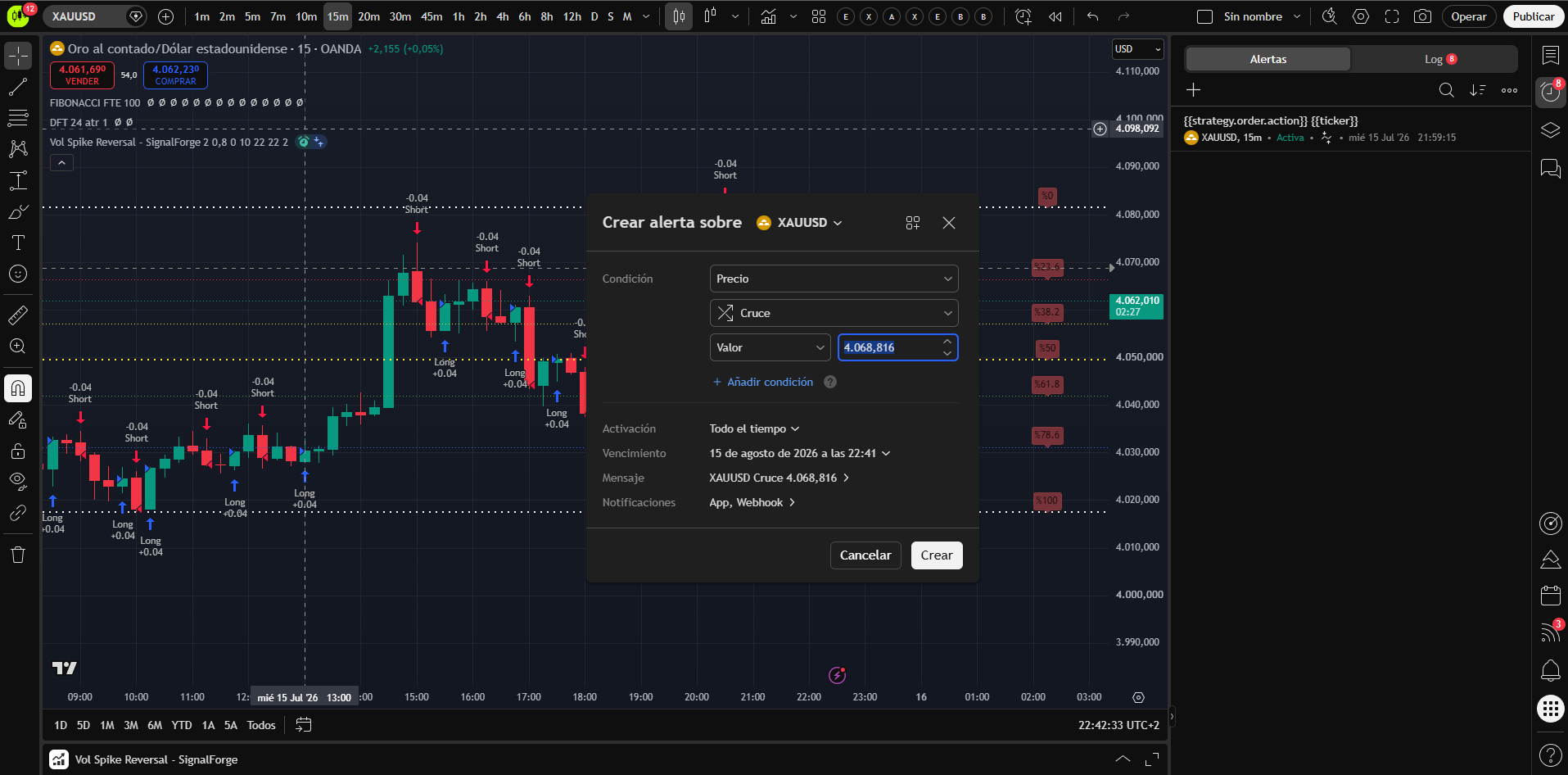
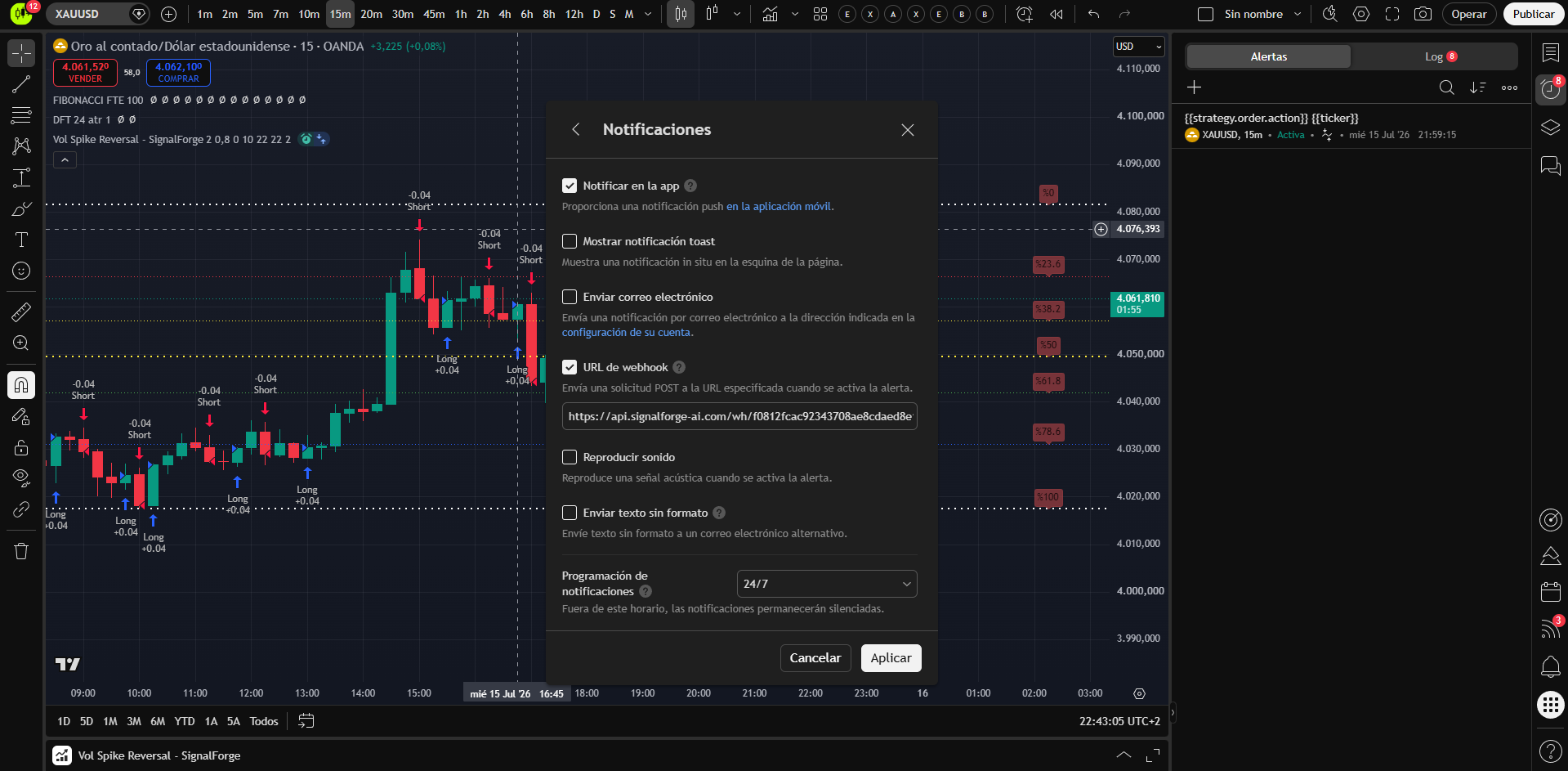
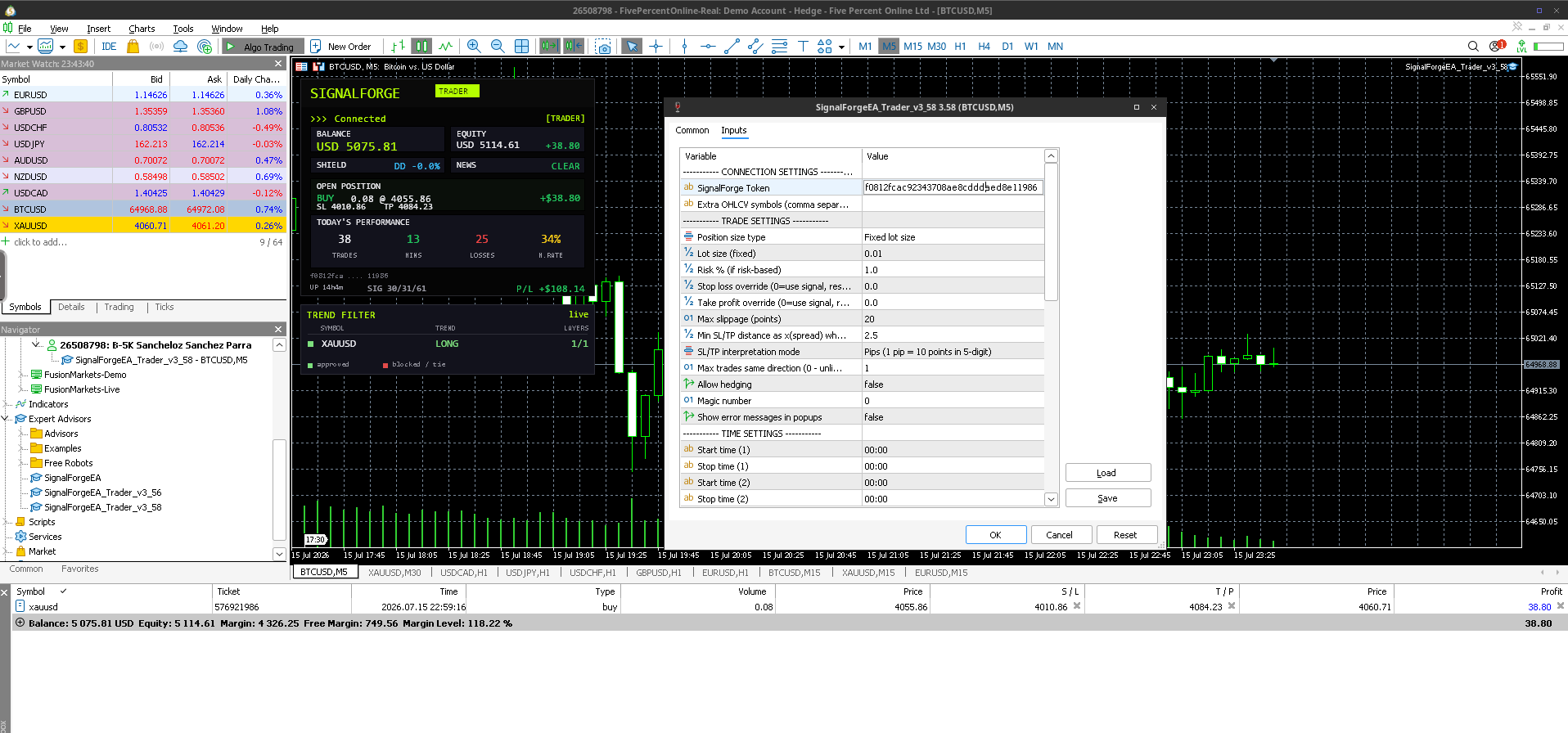
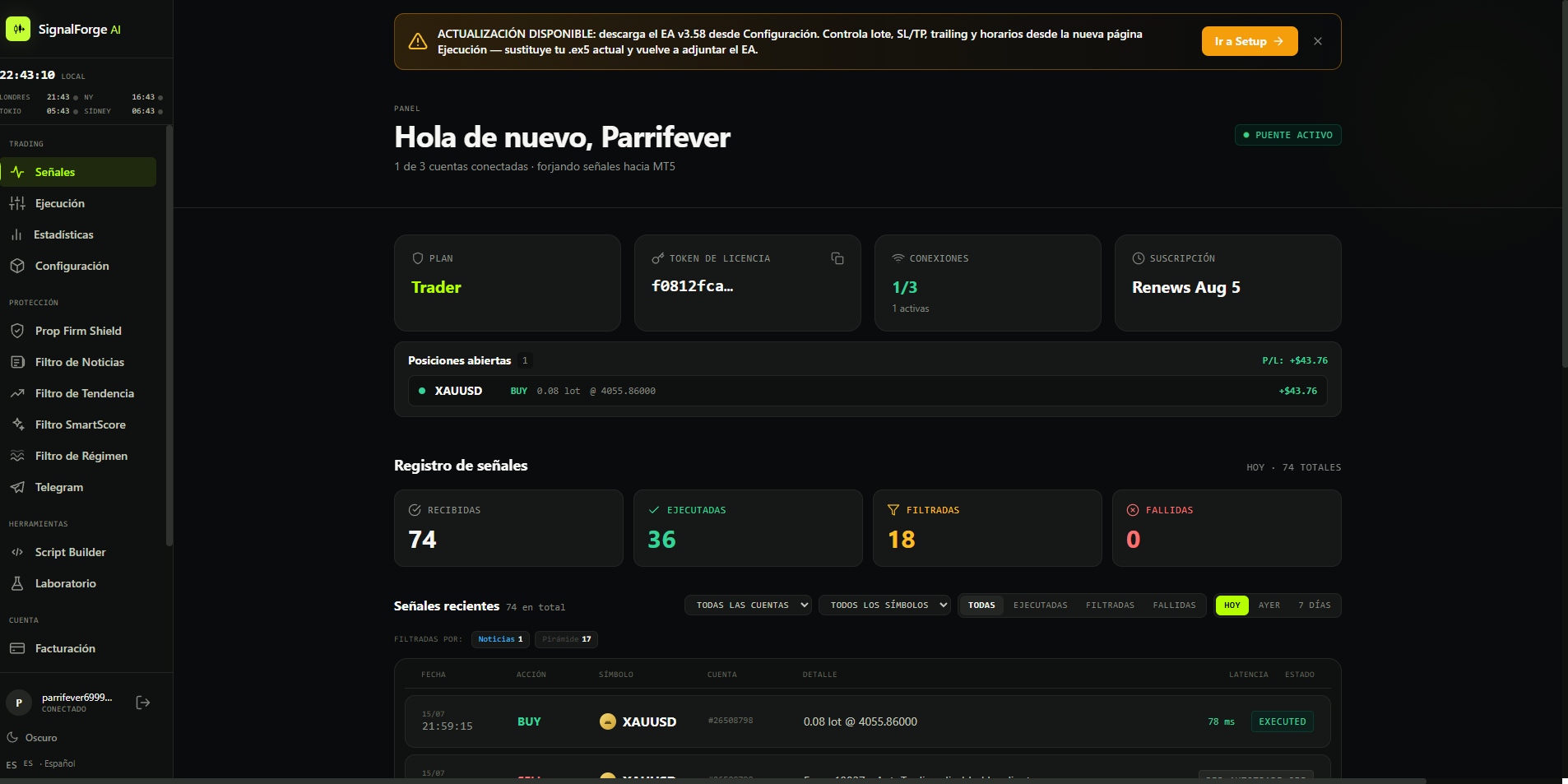
Want every field, every JSON template and the exact MT5 screenshots? See the full webhook setup guide and the deeper how to connect TradingView to MT5.
All three.
One table.
The same facts side-by-side. No spin, no asterisks, no marketing copy. Pricing re-checked on each vendor’s pricing page on 4 October 2026.
| Feature | SignalForge AI | PineConnector | TradingConnector |
|---|---|---|---|
| Entry price | $4.99 / mo | $59 / mo Core (launch price) | $14.99 / mo |
| Free trial | 14 days · no card | 7 days for US$7 (Core, from 5 Oct) | 7 days |
| Hosted MT5 | SFCloud · bundles from $9.99 | Edge included (1 / 3 / 5) | No |
| Top plan | Elite $49.99 · 10 accounts + 10 SFClouds | Pro $199 · 5 connections + 5 Edge | $299 · remote multi-account |
| Architecture | Cloud webhook | Cloud webhook | Local · Chrome |
| Signal dashboard | Built-in · all plans | No | No |
| SFScoring | Planned Q1 2027 · Pro / Elite | No | No |
| Prop Firm Shield | Trader plan and up | No | No |
| News filter | Trader plan and up | No | No |
| Trailing stop & BE | Built-in EA | Pine Script | Pine Script |
| Telegram notifications | Trader plan and up | No | Built-in |
| Spanish support | Native ES + EN | English only | English only |
| MT4 support | No · MT5 only | Yes | Yes |
| Signal limit | Unlimited | Unlimited (per pricing page) | See their pricing page |
Competitor pricing, trials and Edge terms checked 4 October 2026 on each vendor’s public pricing page. Check each provider’s site for current scope and availability.
Three bridges,
ranked honestly.
Yes, we make the #1 pick. Disclosure noted. The methodology and scores are transparent: re-weight them and see if the order changes for your use case.
SignalForge AI BEST VALUE + AI
The cheapest entry in this comparison at $4.99/month, after a 14-day trial with no card. Trader ($14.99) adds Prop Firm Shield for FTMO/FundedNext-style rules, news and trend filters and Telegram alerts; trailing stop, break-even and the signal dashboard come with every plan. Hosted MT5 (SFCloud) is in the Starter + SFCloud ($9.99) and Trader + SFCloud ($19.99) bundles, and Pro ($29.99) and Elite ($49.99) include 5 or 10 SFClouds. SFScoring, an AI signal filter, is planned for Pro and Elite in Q1 2027 and is not active today. Support in English and Spanish.
Best for: Traders who want prop firm protection, hosted MT5 at a low price and the lowest entry price in the category. Especially strong for Spanish-speaking traders.
PineConnector MARKET LEADER · PREMIUM PRICE
The most established TradingView-MT5 bridge, with extensive documentation and MT4 support. Its Core plan is $59/month at the launch price ($69 after launch) for one MT5 connection plus one Edge-hosted MT5; Plus is $129 ($149 after launch) for three and Pro is $199 for five, with extra connections at $35/month each. Its site announces a seven-day Core trial from 5 October 2026 at US$7, then $59/month. Prices checked 4 October 2026; see our PineConnector pricing breakdown.
Best for: Traders who prioritize battle-tested reliability, need MT4 support, and want managed hosting in the same bill without minding a premium for the most established name in the market.
TradingConnector LOCAL SPEED · CHROME DEPENDENCY
A different approach: everything runs locally. A Chrome extension captures alerts from TradingView, passes them to a desktop app, which routes them to MetaTrader. This “serverless” architecture means low latency in optimal conditions. The trade-off is significant: you must keep Chrome open with TradingView 24/7. If Chrome updates, crashes, or the tab closes, your automation stops. Windows only. Plans checked 4 October 2026: $14.99/month (or $149/year) for one MetaTrader, $49.99 for several MetaTraders on the same PC and $299 for remote multi-account setups.
Best for: Traders who want Telegram integration, need MT4 support, and don’t mind the Chrome dependency.
What about the rest?
There are other bridges worth knowing (prices checked 28 October 2026): TradeSgnl (cloud bridge; Starter $24.99/month or $12.49/month billed yearly, a Bridge plan at $12.99/month billed yearly and a 50%-off yearly coupon, no free trial; see the head-to-head comparison), AlgoWay (multi-platform: MT5, cTrader and 20+ more; its TradingView alert plan is $9/month with a 14-day trial, no card, and VPS sold separately from $12/month), TradersPost (US brokers for stocks, options, futures and crypto; from $41.65/month billed yearly, and MetaTrader is not among the integrations on its pricing page) and Wundertrading (crypto-heavy), plus various MT5 copier EAs on MQL5 Market. For TradingView → MT5 with prop firm features at a sensible price, the three above remain the core shortlist; for the US-broker angle see PineConnector vs TradersPost vs Autoview.
We did not include:
- DIY Pine Script EAs: they exist but require you to be a developer
- Discontinued products (Mocaz, Capitalise.ai’s older bridge)
- Crypto-first services that retrofitted MT5 as an afterthought
Is there a free TradingView to MT5 connector?
Short answer: nothing dependable is fully free. A TradingView to MT5 connector has two halves, and each one has a cost floor:
- The TradingView side. Webhook alerts require a paid TradingView plan (Essential or higher). The free tier cannot send webhooks at all, so even a "free connector" still needs a paid TradingView account behind it.
- The MT5 side. This is where real free options exist: open-source copier EAs on GitHub (TV2MT5 and similar). They work, but you host them on your own Windows machine or VPS, build the webhook receiver yourself, and maintain them when your broker renames a symbol.
The lowest-cost bridge route in this comparison is SignalForge at $4.99/mo after a 14-day free trial, no card. The Starter + SFCloud bundle is $9.99/mo for the bridge plus one hosted MT5 terminal, paid from day one, versus PineConnector Core at $59/mo with one Edge-hosted MT5 (checked 4 October 2026). Compare the hosting scope before choosing; our bridge cost guide adds it all up.
Set on the free DIY path anyway? Our TradingView webhook formats guide documents the message format any self-built receiver has to parse.
SignalForge AI: the smartest bridge at the lowest price.
If you want prop firm protection, server-side risk filters, hosted MT5 from $9.99, English and Spanish support and the lowest entry price in the category, SignalForge AI is the clear choice in 2026. Try it free for 14 days, no credit card needed.
More on TradingView → MT5.
This page is the hub. Each guide below covers one angle in full: setup, webhooks, prop firms, hosting and total cost.
How to connect TradingView to MT5
The complete no-code connection guide, start to finish.
Full guide →Configure the webhook
Every field, every JSON template, every MT5 screenshot.
Webhook setup →Bridge for prop firms
FTMO, FundedNext and challenge rules built in.
Prop firm bridge →Setup guides by broker
Exact server and symbol strings for 22 brokers, verified live.
Broker guides →Copy signals to MT5
Route TradingView signals straight to your MT5 account.
Copy signals →TradingView MT5 bot
Turn any TradingView strategy into a hands-free MT5 bot.
MT5 bot →Automated trading signals
From alert to executed trade, fully automated.
Automated signals →What a bridge really costs
Bridge, hosting and TradingView plan, added up per month.
Cost guide →Hosted MT5 pricing 2026
What a managed MT5 terminal costs in 2026, compared.
Hosted MT5 →PineConnector Edge vs a VPS
When managed hosting beats renting your own Windows server.
Edge vs VPS →Build or buy a bridge?
What a DIY bridge needs to survive live, and when buying wins.
Build vs buy →Pine Script alert() webhooks
The alert() syntax and JSON payloads that actually reach MT5.
Webhook syntax →FundingPips + TradingView
Server, symbols and the full setup for FundingPips SIM1.
FundingPips setup →Questions before picking.
Email soporte@signalforge-ai.com if yours isn’t here.
Trading prop-firm accounts? Pair this bridge with our MT5 risk management EA and the prop firm challenge EA to protect your capital automatically. Trading FTMO? Read the FTMO rules for EA trading before you connect anything.
Skip the
research.
14 days free on SignalForge. If it doesn’t fit your workflow, leave, we won’t charge a cent.